GPT-6 Astra + Higgsfield MCP Made This ENTIRE Video in One Chat
Higgsfield AI · 2026-09-05 · ai-made · 299,668 views
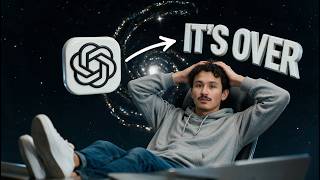
Made by AI
Model: GPT-6 Astra · Series: "Made This Entire Video By Itself"
Evidence: Description: 'GPT-6 Astra and Higgsfield MCP made this entire YouTube video in one chat—from the script and AI talking head to motion graphics and the final edit.'
Human role: Supplied own face and voice as reference, reviewed revisions; Higgsfield's own channel (promotional).
Pipeline: GPT-6 Astra + Higgsfield MCP → script → AI talking head → After Effects template animation → DaVinci Resolve assembly → music + SFX
Lore: made-it-by-itself, agent-as-director
What's in the video
Description written by Gemini, which watched and listened to the whole video.
Summary
This video is a comprehensive tutorial demonstrating an end-to-end AI video production pipeline orchestrated by OpenAI's GPT-6 Astra via Model Context Protocol (MCP) connected to Higgsfield. Presented by an AI-generated digital avatar of creator Adil (@adilinthewild), the video details how four base assets—a reference video clip, an After Effects template, a rendered motion graphic, and a style reference—are transformed into an editable, modular YouTube video project.
What is shown
- [00:00 - 00:58] Introduction & Concept: Adil introduces the workflow, explaining that his own talking head is synthetic video generated from an input reference clip using GPT-6 Astra coordinating with Higgsfield MCP.
- [00:58 - 02:02] Chapter 01: Connect the Tools: Explanation of Model Context Protocol (MCP); shows UI integration of the Higgsfield plugin/MCP server within ChatGPT and conducting a single-shot test run to verify connectivity.
- [02:03 - 03:20] Chapter 02: Write the Brief: Crafting layered production briefs specifying duration, aspect ratio, input asset roles, and editable output requirements, followed by verifying model documentation and capabilities.
- [03:21 - 04:24] Chapter 03: Build the Script: Script structuring tailored for video generation—breaking narration into single-thought "short takes" with clean boundaries and calculating real timing vs. word counts.
- [04:25 - 06:32] Directing & Generating Takes: Directing the avatar by strictly separating visual/stage directions (camera angle, clothing, lighting) from spoken dialogue, followed by quality review checks (lip-sync, eye contact, pronunciation).
- [06:33 - 07:32] Chapter 05: Show the Workflow: Demonstrating visual evidence patterns (source, instruction, result, revision) and using authentic screen captures over hallucinated UI elements.
- [07:33 - 08:10] Chapter 06: Animate the Explanation: Integrating Adobe After Effects kinetic typography, title cards, and system diagrams with lime-green accent branding.
- [08:11 - 10:18] Chapter 07: Edit in DaVinci Resolve & Quality Control: Multi-layer assembly in DaVinci Resolve, trimming gaps, smoothing audio transitions, managing a portable project folder, and running a final timeline inspection.
- [10:19 - 11:06] Summary of 7-Step Workflow: Recapitulation of the full methodology and channel outro.
Claims & numbers
- The entire video's talking-head presenter footage was synthesized from a single short reference clip (
adil-input.mp4) using GPT-6 Astra and Higgsfield MCP (the presenter claims). - The target project brief specifies a 10–12 minute running time in horizontal 16:9 format (presenter states).
- The documentation graphic shown at [03:05] lists GPT-6 Astra specifications: $10 / $50 per million tokens (input/output), a 1,050,000-context window, 128,000 max output tokens, and an April 20, 2026 knowledge cutoff.
- The presenter claims DaVinci Resolve and Adobe After Effects project files can be automatically scaffolded and populated alongside raw generative assets in a unified portable folder.
Notable quotes
- "This video was made with GPT-6 Astra and Higgsfield MCP. Even this talking head is generated from a short clip of me." [00:00]
- "MCP stands for Model Context Protocol. It gives an assistant a standard way to work with external tools." [01:00]
- "The visual should answer the same question as the narration, so the viewer can connect what you say with what they see." [06:47]
Assessment
This is a polished, authentic product demonstration by Higgsfield AI illustrating practical agentic video generation workflows using MCP. The video transparently showcases real software interfaces (ChatGPT, After Effects, DaVinci Resolve) and demonstrates how AI synthesis can integrate into traditional non-linear editing timelines rather than claiming magic one-click finished renders.
Lyrics & themes
The video is spoken instructional narration divided systematically into operational stages:
- Tool Integration: Connecting local MCP servers and testing API latency/round-trips.
- Directing AI Performance: Structuring prompts with separated stage direction and dialogue lines.
- Timeline Discipline: Emphasizing modular editing, gap trimming, and vocal consistency checks.
Key spoken lines:
- "Four files. One video." [00:17]
- "Keep the person. Change the words." [05:56]
- "A good-looking timeline does not guarantee a correct render." [10:05]
Lore & references
- GPT-6 Astra: OpenAI's frontier multimodal model acting as executive director/orchestrator via MCP.
- Model Context Protocol (MCP): Anthropic's open protocol standard adopted across agents and tool ecosystems to communicate with local services and APIs.
- DaVinci Resolve & Adobe After Effects: Standard professional motion and post-production suites used as the non-destructive compilation backbone.
- Prompt Card Layout: Visual conventions referencing modern tech tutorial channels (e.g., stylized cards, black background with electric lime accents).
Visual style & craft
- Presenter Footage: AI-generated talking head exhibiting high temporal consistency, naturalistic eye darts, realistic lighting on skin/clothing, and tight lip synchronization, with subtle AI smoothing around fast hand gestures.
- Motion Graphics & UI: Hand-crafted/templated After Effects motion graphics featuring high-contrast neon green (
#D4FF00) and dark slate themes, kinetic title typography, and split-screen PiP (picture-in-picture) playback. - Timeline Displays: Legitimate screencasts of DaVinci Resolve 21 and After Effects composition timelines demonstrating multi-track editing layers.
Described by gemini-3.8-flash on 2026-09-29 from the video's audio and frames.