Getting started with Claude Tag
Claude · 2026-09-29 · tutorial · 158,779 views
What's in the video
Description written by Gemini, which watched and listened to the whole video.
Summary
This official tutorial video from Claude Academy introduces "Claude Tag," an agent integration that allows Claude to collaborate directly inside team communication workspaces like Slack. A narrator walks through mentioning @Claude in channels to cross-reference data across third-party tools (such as Google Drive and Asana), automate routine updates, retain channel-specific memory, and manage privacy and access controls.
What is shown
- [00:05] Adding Claude to a workspace channel (
#event-prepinside an "A1 Events Ltd." Slack-like workspace interface). - [00:24] A user prompts
@Claudeto compile outstanding action items by checking channel chat history over the last three days, Google Drive meeting notes, and Asana tasks. - [00:39] Claude's thread interface displaying real-time task progress checkboxes ("Reading threads", "Reading meeting notes in Drive", "Cross-checking Asana tasks", "Drafting status summary") and reporting discrepancy alerts.
- [00:53] A request to update Asana and create a calendar invite triggers an explicit connector authorization prompt with "Allow" and "Don't allow" buttons before booking a meeting in Google Calendar [01:06].
- [01:11] Setting recurring tasks (prompting Claude to post automated weekly status updates every Monday morning).
- [01:17] Handling emergency planning: Arjun asks Claude to analyze an event spreadsheet and recommend replacements for a canceled keynote speaker.
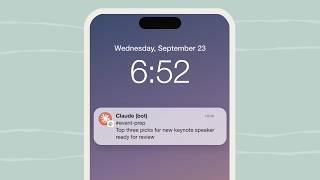
- [01:29] Mobile push notifications alerting team members when Claude finishes multi-step tasks, followed by review and selection in the mobile workspace app.
- [01:45] Setting persistent channel memory instructions (
@Claude remember for this channel: include links directly to the source information...) and querying Claude's saved memory [02:00]. - [02:10] Waitlist trigger alerts and cross-referencing external Google Docs checklists automatically upon updates.
- [02:20] Availability overview: available on Team tier (2 to 150 members) and Enterprise tier (businesses operating at scale).
- [02:24] Channel configuration UI ("Configure Claude for #event-prep"), showcasing permission controls, connector authorizations (Google Drive, Asana), automatic response toggles, and channel instructions.
- [02:54] Outro screen showing Claude Academy branding and pointing to
claude.com/learn.
Claims & numbers
- The presenter states Claude Tag is available for Team accounts (teams of 2 to 150) and Enterprise accounts (businesses operating at scale) [02:20].
- The presenter claims Claude works from its own account and logs every change along with who requested it [00:56].
- The presenter claims Claude asks for user permission every time before using individual connectors on someone's behalf [01:03].
- The presenter claims DMs and private channels stay strictly private while allowing data access across public channels [02:42].
Notable quotes
- "Add Claude to a channel in a team workspace, like Slack, and it can keep up with your whole team in real time." [00:06]
- "It works from its own account, logging every change and who asked for it." [00:56]
- "Claude Tag is available on Team and Enterprise accounts." [02:20]
Assessment
This is an official promotional product tutorial from Anthropic demonstrating feature capabilities and user flows for Claude Tag. The footage consists of polished UI animation mockups illustrating interactions across Slack, Asana, Google Drive, and Google Calendar rather than an unedited live screen capture.
Described by gemini-3.8-flash on 2026-10-07 from the video's audio and frames.