‘Translate this IKEA assembly manual into a 3D narrated instructional video’ with Opus 5.5
Deedy (@deedydas)X75,296 views as of 12 October 2026
Why it is here
Listed in the awesome-claude-5-5-videos library; ~75k views. Deedy: ‘Overnight, Opus just became the most actually useful video model, via code.’
Description
Description written by Gemini from the videoGemini 3.8 Flash, 12 October 2026
Summary
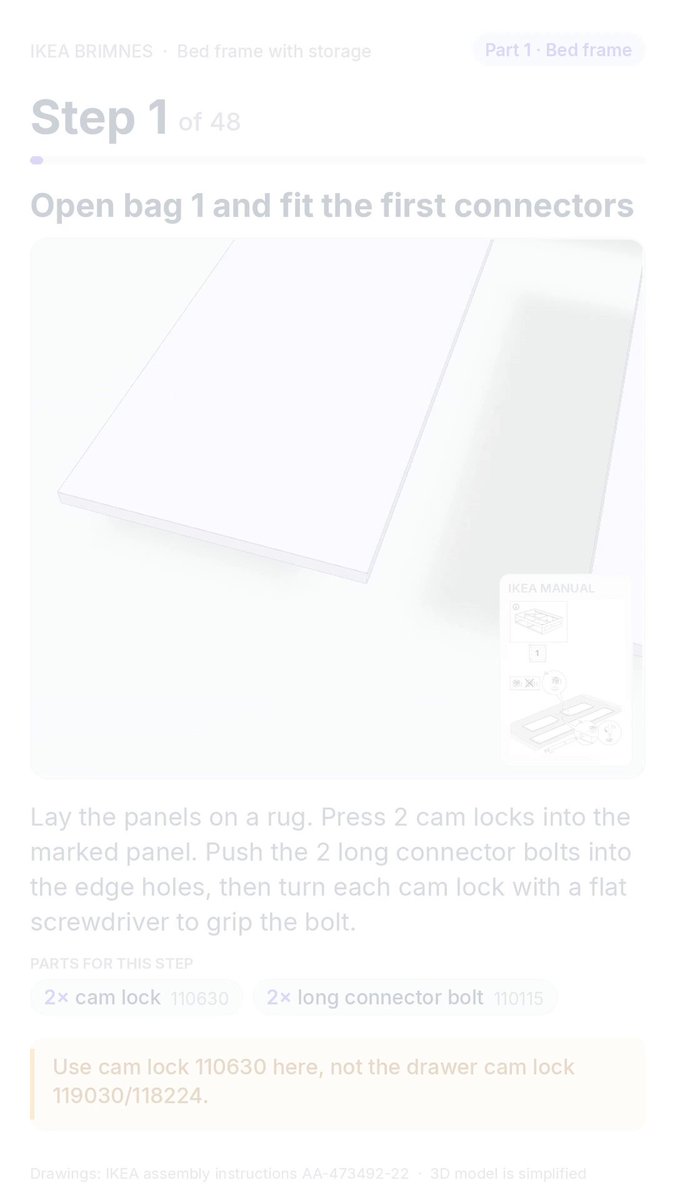
This video demonstrates an AI-generated interactive 3D assembly guide created by translating a flat IKEA manual into narrated, step-by-step animated instructions using Claude Opus 5.5. Shared by Deedy (@deedydas), the demo shows steps 1 through 5 of assembling the IKEA BRIMNES bed frame with storage.
What is shown
- Step 1: Open bag 1 and fit the first connectors [00:00 - 00:24]: Explains placing panels on a rug, inserting two cam locks (part 110630), pushing in long connector bolts (110115), and tightening them with a flat screwdriver.
- Step 2: Attach the first drawer runners [00:25 - 00:44]: Demonstrates aligning runners marked
CLandCRto the panels and fastening each with three screws (part 100365), cautioning not to use screw 100359. - Step 2 (continued): Turn both panels over [00:45 - 00:49]: Shows flipping the panels over so the opposite face points upward.
- Step 3: Attach runners to the other face [00:50 - 01:05]: Repeats the runner attachment process on the opposite side using runner part 139505 and screws.
- Step 4: Add the medium dowels [01:06 - 01:23]: Taps 8 medium dowels (part 101350) into the end holes, noting not to confuse them with smaller or larger dowel variants.
- Step 5: Join the centre divider [01:24 - 01:42]: Demonstrates sliding the two short panels onto the long central divider panel until bolt heads sit flush.
Claims & numbers
- Total guide length indicated in the UI: 48 steps (“Step 1 of 48” through “Step 5 of 48”) [00:00, 01:24].
- Hardware part numbers referenced: Cam lock
110630, long connector bolt110115, screws100365and100359, runner139505, dowels101350,101345, and101359.
Notable quotes
- “Use cam lock 110630 here, not the drawer cam lock 119030/118224.” [00:15]
- “Use screw 100365. Do not use the similar screw 100359.” [00:36]
- “A bolt that sticks out will not lock. Press it all the way in.” [01:37]
Assessment
This is a demonstration of an AI coding/multimodal workflow where Claude Opus 5.5 converted standard static IKEA PDF instructions into an interactive web/mobile 3D step-by-step viewer with synthesized voice narration. The UI features simplified 3D CAD models and procedural animations aligned directly with standard IKEA instruction manual drawings inset on the screen.
Lyrics & themes
The narration consists entirely of clear, instructional assembly directions:
- Step 1: “Lay the panels on a rug. Press 2 cam locks into the marked panel...” [00:04]
- Step 2: “Screw a runner to each short panel with 3 screws per runner...” [00:28]
- Step 4: “Tap 8 medium dowels into the holes in the panel ends...” [01:08]
- Step 5: “Slide the two short panels onto the long centre panel, one from each side...” [01:26]
Lore & references
- IKEA Assembly Pitfalls: Calls out classic user frustrations and common mistakes when assembling flat-pack furniture, such as confusing subtly different screw lengths (
100365vs100359) or misidentifying dowel sizes (101350vs101345/101359). - Original IKEA Manual Inset: Each step displays the exact monochrome line illustration from official manual
AA-473492-22in the corner to verify ground-truth alignment.
Visual style & craft
- Clean mobile-app layout combining rendered WebGL/Three.js-style 3D models with step instructions and part inventories.
- Animated components move dynamically (bolts sliding into predrilled holes, dowels tapping in, boards mating together).
- High-quality, natural synthetic text-to-speech narration synchronised to step-by-step UI highlights.
Described by gemini-3.8-flash on 2026-10-12 from the video’s audio and frames.
Made by AI
- Made with
- Claude Opus 5.5
- How we know
- X post (2026-09-24): ‘“Translate this IKEA assembly manual into a 3D narrated instructional video” with Opus 5.5. / / Overnight, Opus just became the most actually useful video model, via code.’
- Human role
- Gave the manual and a one-line prompt; details not published.
- Pipeline
- IKEA manual → Opus 5.5 writes 3D animation code and narration → 1:42 video
- Series
- Code-rendered film (LLM writes the program that draws every frame)