‘Just use a VPS bro’ (OpenClaw version).
Kai Lentit YouTube 563,345 views as of 16 October 2026
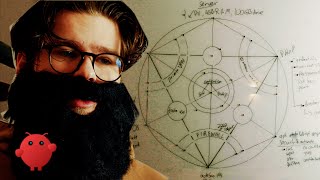
Why it is here
Satire sketch (7:45) by Kai Lentit (“Programmers Are Also Human”) about self-hosting the OpenClaw AI agent on a rented server; about 563k views on 2026-10-16. YouTube description: “Interview with a VPS bro with Jack Borrough - aired on © The VPS.” Its tags include “Openclaw installation guide”, “OpenClaw VPS setup”, “Next-gen ai” and “Anthropic Claude”. Not yet watched; this note paraphrases the uploader’s description.
Description
Description written by Gemini from the videoGemini 3.8 Flash, 16 October 2026
Summary This video is a satirical comedy sketch created and presented by Kai Lentit exploring the extreme friction and over-engineering required to self-host and secure an autonomous AI assistant (“OpenClaw”) on a Linux VPS. A user attempting what was billed as a “one-click install” is guided through an absurdly elaborate server-hardening ritual on a whiteboard by an obsessive sysadmin persona, only to discover the sysadmin runs it on a Mac Mini himself.
What is shown
- [00:00] A user browses social media feeds showing posts, memes, and architecture diagrams about setting up personal AI agents (Clawdbot / OpenClaw).
- [00:17] A bearded Linux enthusiast persona insists on using a fresh Linux VPS rather than buying a local Mac Mini.
- [00:34] Whiteboard diagrams and terminal command overlays covering VPS provisioning (1 vCPU, 4GB RAM, 100GB storage), SSH hardening, and
sudo apt update && sudo apt upgrade -y. - [01:12] Shell commands displayed for base security packages (
curl,wget,ufw,fail2ban,ca-certificates,gnupg), creating a non-root user, generatinged25519SSH keys, and modifyingsshd_configto use port 2222. - [02:08] Configuring UFW default deny rules, port forwarding, fail2ban jail configuration (
jail.local), and enabling unattended security upgrades. - [03:15] Time sync configuration (
systemd-timesyncd), entropy generation (haveged), and installing Tailscale to create a private VPN mesh while closing public inbound SSH and disabling IPv6. - [04:12] Installing NodeSource Node.js 20.x, git, pnpm, cloning OpenClaw, credential environment isolation (
/etc/openclaw.env), permission handling, and runningopenclaw doctor. - [04:57] Building and reloading a systemd unit file (
openclaw.service), accompanied by an exposition on the 2015 systemd controversy. - [06:25] The whiteboard reveals an intricate occult-style pentagram diagram detailing the full server architecture.
- [06:48] The sysadmin confesses he actually runs OpenClaw locally on an isolated Mac Mini.
- [07:12] The user requests a new agent from Claude, summoning an AWS cloud architect persona pitching EC2, security groups, and Kubernetes.
Claims & numbers
- The sysadmin persona claims brute-force SSH scanning begins within 12 seconds of provisioning a public IP on a VPS [00:49].
- The sysadmin specifies minimum initial VPS specs as 1 vCPU, 4GB RAM, and a 100GB drive [00:36].
- The sysadmin claims the hardened setup achieves 98.1% uptime (“if you ignore the weekly kernel panics”) [06:15].
- The sysadmin claims every major Linux distribution settled the systemd dispute in 2015 [05:18].
Notable quotes
- [00:17] “Just use a VPS. It’s like a one-click install.”
- [06:01] “You don’t DO security. Security needs to live rent free in your mind at all times.”
- [06:49] “Oh, I’m just running it on an isolated mac-mini.”
Assessment This is a scripted comedic sketch and tech parody highlighting community friction points in deploying self-hosted AI software. While humorous, all terminal commands, configuration snippets, and architecture best practices shown in the screen overlays are technically accurate Linux system administration steps.
Described by gemini-3.8-flash on 2026-10-16 from the video’s audio and frames.