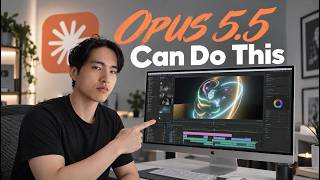
Claude Opus 5.5 Changed Motion Graphics Forever (Insane Results)
Tao PromptsYouTube37,273 views as of 12 October 2026
Why it is here
Motion-graphics tutorial with Opus 5.5; links the PDoomVideo GitHub repo used to render AI music videos in Claude.
Description
Description written by Gemini from the videoGemini 3.8 Flash, 12 October 2026
Summary
In this tutorial, creator Tao demonstrates six practical use cases for creating motion graphics and animations using Claude AI (Claude Opus 5.5). He walks through end-to-end workflows combining Claude with auxiliary tools—including Whisper speech recognition, OpenArt image generation, Suno AI, Tripo3D, and Blender via the Model Context Protocol (MCP)—to produce editorial talking-head graphics, HUD overlays, 2D explainers, music videos, 3D voxel graphics, and 3D sci-fi cinematics.
What is shown
- Use Case Overview [00:00–00:35]: Tao outlines six motion graphic categories: editorial graphics, HUD displays, 2D explainers, AI music videos, 3D voxel animations, and Claude + Blender 3D cinematics.
- Whisper Setup & Speech Recognition [00:54–02:05]: Configuring Claude’s domain allowlist (
huggingface.co,*.hf.co) under Capabilities settings to allow Claude to install and run Whisper C++ to produce timestamped.srttranscripts from audio. - Use Case 1 – Editorial Explainer [02:06–07:23]: Setting up project folders, loading a custom
/motion-graphicsskill (SKILL.md), and requesting an initial draft [03:45]. Generating a 4×3 black-and-white asset sheet in OpenArt using GPT Image 2.5 (Sunburst mode, 2K resolution) [05:20–05:58], updating references, and rendering the final composite explainer [07:14]. - Use Case 2 – HUD Display on AI Video [07:24–10:02]: Generating a face image in OpenArt (GPT Image 2.5), animating it with Seedance 2.5, tracking Iron Man-style HUD graphics onto the video with Claude, correcting display perspective using rough guidelines drawn in Paint [09:34], and showing final tracked results [09:50].
- Use Case 3 – 2D Explainer Animation [10:03–11:35]: Claude parses a script with a Kurzgesagt style reference and outputs a low-res preview; Tao pauses generation to adjust color palettes and alien designs before rendering the full simulated-world animation.
- Use Case 4 – 2D AI Music Video [11:36–14:30]: Generating lyrics in Claude, creating character sheets and environments in OpenArt, creating a song in Suno AI, linking GitHub animation repositories (
JohnHeibel/PDoomVideo,ClaudeAnimationBase), and compiling an animated music video (“Made with Code”) [13:51]. - Use Case 5 – 3D Voxel Animations [14:31–15:32]: Prompting Claude to build a code-rendered showreel (HTML/WebGL) featuring Liquid Chrome, Wavefield, Galaxy, and Glass & Light; executing a cosmic scale zoom-in animation from galaxy to solar system, Earth, voxels, and atomic structures.
- Use Case 6 – Claude + Blender 3D Cinematics [15:33–20:25]: Connecting Claude to Blender using the Blender MCP server connector and add-on [16:27–17:34]; converting 2D asset crops into 3D models using Tripo3D [17:56–18:38]; enabling “Computer Use” in Claude desktop settings [19:05]; Claude executes Python scripts inside Blender to assemble scenes, cameras, and lighting for a multi-shot sci-fi short (“Year Zero”) [19:20].
Claims & numbers
- The presenter states Whisper C++ is free to install directly via Claude’s environment [01:27].
- The presenter notes Claude took about 30 minutes to produce the initial motion graphics draft for the editorial explainer [03:45].
- The presenter recommends using the GPT Image 2.5 model in OpenArt in Sunburst mode at minimum 2K resolution for generating visual asset sheets [05:40–05:54].
- The presenter recommends the Seedance 2.5 video model for high-quality image-to-video generation [08:22].
- The presenter notes Blender MCP integration requires Blender 5.1 or newer [16:51].
Notable quotes
- “Claude AI has unlocked motion graphics.” [00:00]
- “Claude is great at animating the motion graphics. It’s not really that great at rendering realistic looking images.” [04:41]
- “Claude is doing all of this in Blender on its own.” [19:02]
Assessment
This is a hands-on technical tutorial and workflow demonstration. The presenter displays real UI interactions, prompt inputs, code/skill files, and output video renders, while candidly discussing limitations (such as Claude’s difficulty rendering realistic illustrations directly in code or misjudging perspective without drawn guidance).
Described by gemini-3.8-flash on 2026-10-12 from the video’s audio and frames.