Opus 5.5 Video Editing is Unbelievably Good (master it in 12 mins)
Jay E | RoboNuggets · 2026-09-29 · tutorial · 20,067 views
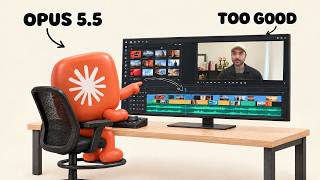
What's in the video
Description written by Gemini, which watched and listened to the whole video.
Summary
Jay Enriquez (Jay E | RoboNuggets) demonstrates how to produce high-end motion graphics and edit videos using Claude Opus 5.5 and Claude Code without relying on generative video diffusion models. He explains how Opus 5.5 programmatically generates motion design using HTML, CSS, JavaScript, Three.js, and FFmpeg, breaking the workflow down into three distinct tiers: Level 1 (One-shot prompting), Level 2 (Storyboarding with visual feedback), and Level 3 (Timeline directing).
What is shown
- [00:00] A one-shot prompt in Claude Code requesting a 15-second, 1080p, 60 fps motion design showreel, followed by the rendered kinetic typography and 3D graphics reel output.
- [00:35] A second motion design reel showcasing kinetic typography ("MOTION", "TIMING", "SPACING", "EASING", "WEIGHT", "GRAVITY"), particle effects, and audio sync.
- [00:54] Clips from an educational talking-head video edited and animated using Opus 5.5.
- [02:17] The "V4 Element Picker" interface showing timeline scrubbing, layer selection, and code-based asset positioning.
- [02:51] An Excalidraw architectural diagram explaining how Opus 5.5 executes code directly (HTML/CSS/JS, Canvas/WebGL Three.js, FFmpeg MP4 export) without plugins like Hyperframes or Remotion.
- [05:33] A 9-page guide titled The 3 Levels of AI Motion Graphics: Opus 5.5 starter prompts.
- [05:58] An Excalidraw breakdown contrasting blind one-shot prompting with iterative storyboarding to prevent wasted token spend.
- [07:06] The "Rubric" web tool used for Level 2 storyboarding: inspecting shot panels, clicking to place spatial/timestamped comment pins, and copying structured feedback for Claude.
- [09:20] Level 3 directing in the Rubric editor timeline: reviewing a draft at 2x speed with audio playback, trimming scenes, and issuing targeted scene-level adjustments.
Claims & numbers
- The presenter claims Claude Opus 5.5 generated the 15-second, 9-scene showreel at 1920x1080 and 60 fps entirely via code (HTML/CSS/JS, Three.js, FFmpeg) without any generative video diffusion models [00:05–00:15, 02:18–03:10].
- The presenter notes his previous video edited with Opus 5.5 reached over 300,000 views [00:54–01:00, 10:33].
- The presenter claims that moving from storyboarding to directing brings the project from roughly 80%–90% completeness to a fully polished production-level video [09:07–09:15].
- The presenter asserts that Opus 5.5 can achieve professional agency-tier motion design natively without needing external video libraries like Remotion or Hyperframes [03:22–03:37, 05:16–05:24].
Notable quotes
- "All of the movements, all of the text, and basically everything you see here... those are all created using code." [02:24]
- "If you're able to preview what it's about to do at less cost and at much faster turnaround times... then you can steer this model towards the right direction." [06:55]
- "At the very core of it, directing really is just giving feedback to the final video... taking you around let's say 80 to 90% there in terms of the final polished quality output." [09:09]
Assessment
This is a legitimate workflow tutorial and product demonstration illustrating programmatic video rendering and timeline directing using Claude Opus 5.5 and Claude Code alongside a custom timeline review app (Rubric). All demonstrated reels and tool interfaces reflect genuine code-based rendering and structured prompting workflows.
Described by gemini-3.8-flash on 2026-09-29 from the video's audio and frames.