Opus 5.5 Makes Insane Videos. Here's the Full Workflow
Lukas Margerie · 2026-09-28 · tutorial · 10,877 views
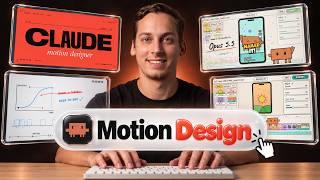
What's in the video
Description written by Gemini, which watched and listened to the whole video.
Summary
Creator Lukas Margerie presents a detailed tutorial on creating high-end product launch videos and motion graphics using Anthropic’s Claude Opus 5.5. He explains how the model generates videos by writing code (HTML, SVG, canvas, or frameworks like Remotion and HyperFrames) rendered via headless Chrome and FFmpeg, and demonstrates how to structure prompts, extract brand assets, synchronize motion to beat grids, integrate Fish Audio voiceovers via MCP, and run automated critique loops.
What is shown
- [00:00 - 01:17] Showcase of viral community motion design clips made with Claude Opus 5.5 on X (Chain, Adrian, devteamdrew).
- [01:18 - 02:59] Diagram outlining video generation pipelines: code-drawn (Canvas/SVG + Playwright), framework-based (Remotion, HyperFrames), mixed image/video models, or automated video edits.
- [03:00 - 04:05] Baseline generation test in Claude Desktop using Opus 5.5 with "High effort" versus Codex with HyperFrames plugin.
- [04:06 - 05:40] Implementing "Motion Studio Rules" system prompt (render contract, visual bans, sound guidelines, critique loop) and testing a 15-second showreel prompt.
- [05:41 - 07:32] Scripting a product launch video for startup MagicPath.ai using real web screenshots and automated asset pulling.
- [07:48 - 10:21] Setting up Fish Audio’s Model Context Protocol (MCP) server connector in Claude Code to generate voiceovers and perform voice cloning.
- [10:22 - 10:56] Playing the rendered MagicPath launch video with synchronized voiceover and animated UI elements.
- [10:57 - 12:15] Sourcing visual references from whatships.com to extract style guides, frame timing, and visual grammar into Markdown.
- [12:16 - 15:48] Setting up 120 BPM musical beat grids, synthesizing UI audio clicks/whooshes in code, and syncing motion transitions to audio beats.
- [15:49 - 18:41] Analyzing complex community examples, including a retro anime music video prompt structure by Donald (@donaldjewkes).
- [18:42 - 19:29] Implementing the automated critique loop: rendering contact sheets, scoring motion axes from 1 to 10, and iteratively patching defects over multiple rounds.
- [19:30 - 20:15] Packaging the motion pipeline into a reusable Claude Code skill to sell as a commercial service.
Claims & numbers
- The presenter asserts that the text prompt represents only 10% of the final quality, while 90% is determined by the "harness" (brand assets, style guides, beat grids, springs, and critique loops).
- The presenter notes Fish Audio's S2.1 Pro TTS API is free with an unlimited quota through November 2026, supporting voice cloning and 83 languages.
- The presenter cites an example where creating a complex animation took 163 Claude Opus 5.5 model calls and nearly 7 hours of iteration, proving high-end results require iterative loops rather than one-shot generation.
- The presenter highlights a creator charging $69 to generate product launch videos using Opus 5.5.
Notable quotes
- [00:56] "The prompt is only 10% of the outcome of this video, and the rest of the 90% is the harness."
- [01:24] "Opus 5.5 takes images and text and actually gives you text in return. It can't actually create an MP4."
- [19:01] "There were actually 163 model calls and nearly 7 hours, obviously not one shot, to get this video right."
Assessment
This is a comprehensive, authentic technical walkthrough and tutorial demonstrating how to harness Claude Opus 5.5's code execution capabilities to build programmatic motion graphics. The creator transparently shows the full setup—including MCP tool integrations, prompt scaffolding, and multi-step iterative loops—debunking one-shot generation claims by showing the engineering required to produce professional results.
Described by gemini-3.8-flash on 2026-09-29 from the video's audio and frames.