WTF is a Googlebook?
Marques Brownlee YouTube 7,701,190 views as of 14 October 2026
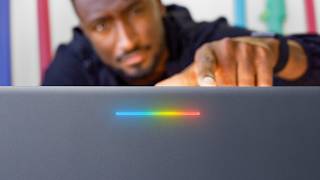
Why it is here
Marques Brownlee’s review (14:12) of the first Googlebooks (Asus and Dell XPS units), Google’s Gemini-centred Chromebook successor. 7.7M views in six days; missed earlier because no Googlebook search was run after the launch.
Description
Description written by Gemini from the videoGemini 3.8 Flash, 14 October 2026
Summary
Marques Brownlee reviews the first generation of Googlebooks, a new category of premium laptops running Google’s Android-based Googlebook OS. He examines the hardware, software continuity with Pixel phones, built-in Gemini AI features, and app compatibility via the Play Store, ultimately grading the device across different user categories.
What is shown
- Overview & Hardware: MKBHD showcases the ASUS Googlebook 14 and Dell XPS Googlebook, noting the hardware specs including the rear “Glow Bar” LED notification strip [00:18, 01:01].
- Phone Continuity: Demonstrates syncing with a Pixel phone, including notifications, texting, cellular sharing, dragging and dropping files under 200 MB, and cross-device task pickup (e.g., flight booking) [01:58–02:30].
- Googlebook OS Interface: Walks through the home screen, app drawer, Quick Settings, and system settings identifying the underlying OS as Android 17 [02:33–02:55].
- Google Play Store & Compatibility Ratings: Explores the Play Store desktop categorization tags: Made for desktop, Optimized for desktop, Compatible with desktop, Better on the website, and Built for mobile [05:55–06:45].
- Gemini & AI Features:
- Magic Pointer: Cursor-wiggle gesture selecting an image on a webpage (Lucid Air) to query Gemini [03:25].
- Semantic File Search: Searching local storage using descriptive natural language (“person holding white earbuds”) to locate image files [03:45–03:55].
- Rambler STT: Speech-to-text dictation via a dedicated keyboard key that automatically filters out filler words (“ums” and “uhs”) [04:00].
- Create My Widget: Generating a custom home-screen widget from natural-language descriptions [04:10–04:24].
- ASUS Hardware Tour: Weighing the ASUS Googlebook 14 on a scale (0.966 kg / ~2.1 lbs), checking ports (2x USB-C, 1x USB-A, HDMI), testing the anti-reflective 1,000-nit OLED display, one-finger lid opening, keyboard, trackpad, and webcam privacy shutter [07:38–08:24].
- Target Audience Report Card: Grades user categories with paper cards, rating Pixel Fans (A), K-12 Students (C-), College Students (B-), Writers (A-), Photographers (B-), Coders/Android Developers (A), Video Editors (D-), Gamers (F), and Grandmas (B) [10:15–13:42].
Claims & numbers
- Google is launching Googlebooks with five manufacturing partners at launch: ASUS, Acer, Dell, HP, and Lenovo [00:42].
- All launch devices feature at least 16 GB of RAM (up to 32 GB), 2K+ touchscreen displays, and the exterior “Glow Bar” [00:54].
- The OS reports itself as Android 17 in device settings [02:54].
- File transfers between phone and Googlebook via the native tool have a 200 MB file size limit [02:18].
- Starting prices begin at $900, with the reviewed ASUS Googlebook 14 priced at $1,399 and Dell XPS Googlebook configurations running from $1,000 up to $1,800 [04:40, 08:24, 08:35].
- The ASUS Googlebook 14 weighs 0.966 kg (just over 2.1 pounds) on scale, includes a 1,000-nit OLED panel, and packs 512 GB of internal storage [03:43, 07:46, 08:00].
Notable quotes
- “So what actually is a Googlebook?” [00:32]
- “It’s incredibly ultra, ultra lightweight... it’s barely over two pounds.” [07:41]
- “Buy products just based on what they are today, not on the promise of future software updates.” [09:40]
Assessment
This is an authentic hands-on product review by tech reviewer Marques Brownlee using actual production units of the ASUS and Dell Googlebooks. All demonstrated features—including UI navigation, phone handoff, AI search, and physical weighing—are tested in real time without evident CGI or staging.
Described by gemini-3.8-flash on 2026-10-14 from the video’s audio and frames.