Opus 5.5 Is The Best Video Editor I've Ever Used
Paul J Lipsky · 2026-09-28 · tutorial · 29,720 views
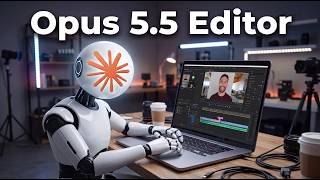
What's in the video
Description written by Gemini, which watched and listened to the whole video.
Summary
Content creator Paul J. Lipsky demonstrates his workflow for automating YouTube video editing using Claude Opus 5.5 inside Claude Code, connected via Model Context Protocol (MCP) to the video recording and editing app Borumi. He walks through recording separate scenes, drafting prompts and instructions via voice dictation, and letting Claude Opus 5.5 remove silences, cut bad takes, adjust layouts, insert zooms, and render custom motion graphics.
What is shown
- [00:23] Claude desktop app settings showing Claude Code active with Claude Opus 5.5 set to "High" effort.
- [01:03] Borumi website overview and user dashboard interface with recent projects.
- [01:43] Creating a structured 6-scene video in Borumi across the Script and Record tabs.
- [03:29] Borumi editor UI, demonstrating how transcript-based editing manually cuts silences, false starts, and enables camera layout changes, screen zoom, and area highlights.
- [05:59] Configuring Borumi's native MCP integration under Settings > AI to connect directly with Claude.
- [07:02] Claude Code CLI prompt using the custom skill
[edit-borumi-video], populated by voice dictation specifying layout framing, motion graphics, and asset screen recordings. - [09:23] Claude Opus 5.5's completion summary detailing cuts, layouts, motion graphics rendering, zooms, and highlights executed in the project.
- [10:28] Review of the final edit playback inside Borumi, displaying AI-generated title cards, animated usage comparison charts, and recorded webpage footage.
Claims & numbers
- The presenter claims Opus 5.5 is "the best model I have ever used for editing videos" [00:06].
- The presenter states his Claude plan costs $100/month and lasts him all week without running into limits despite heavy daily usage [00:59].
- Within the sample script read during the demo, he claims GPT-6 Sol previously burned approximately 25% of his weekly quota in one day, but now burns under 10% [11:00].
- The presenter claims Opus 5.5 handles about 80% of the complete editing process, leaving only minor manual polishes [11:35].
- The presenter notes Borumi requires a single one-time payment rather than an ongoing subscription [12:16].
Notable quotes
- [00:06] "And it is now the best model I have ever used for editing videos."
- [06:23] "Because AI is not very good creatively. You as a human need to drive the creative direction. The AI is just doing the actual work for you."
- [11:35] "So this gets me like 80% of the way there. I still have to go through and do a final polish."
Assessment
A genuine workflow demonstration and software review showcasing real-time interaction between Claude Opus 5.5 and desktop software via MCP. The editing generation step between prompt submission and result inspection is cut for time, but the resulting project timeline, cuts, and rendered graphics are demonstrated directly within the editor.
Described by gemini-3.8-flash on 2026-09-29 from the video's audio and frames.