How to Build $10K Websites in Minutes with Claude Opus 5.5
Zubair Trabzada | AI Workshop YouTube 43,468 views as of 27 October 2026

Why it is here
A tutorial building 3D scrolling websites with Opus 5.5 and Claude Code.
Verified 2026-09-29 from the YouTube watch page (title, channel, publish date 2026-09-27, length 16:30).
Description
Description written by Gemini from the videoGemini 3.8 Flash, 29 September 2026
Summary
Zubair Trabzada demonstrates how to build interactive 3D scroll-driven animation websites using Claude Opus 5.5 integrated with a Higgsfield Model Context Protocol (MCP) server. He showcases an interactive subwoofer landing page (“CYMA One”), walks through setting up the Higgsfield connector in Claude Code, consults his custom AI assistant “JARVIS” for design feedback, and generates a functional Apple-style product site for an artisanal bakery (“Croissant Pro”).
What is shown
- [00:00] Teaser demos of scroll-driven video canvas animations for the “CYMA One” bass speaker and “Croissant Pro” bakery websites.
- [00:44] A PDF prompt guide titled “Build Award-Winning 3D Scroll Websites” covering prompt templates, model selection tables (listing models such as Kling 3.0, Chroma Studio 2.0, Seedance 2.5, and GPT Image 2.5), and workflow tips.
- [01:07] Detailed walkthrough of the CYMA One demo site: interactive sound playback, color explosion animations scrubbed by scrolling, colorway switcher buttons, and an exploded-parts diagram view.
- [03:21] Claude Code desktop interface configuration, selecting Claude Opus 5.5 with effort set to “Max”.
- [05:03] Step-by-step setup of the Higgsfield MCP connector (
https://mcp.higgsfield.ai/mcp) in Claude Code settings. - [06:40] Navigation to the AI Workshop Lite community on Skool to access prompt packs and templates.
- [07:42] Pasting the full prompt for “LAMINA: a croissant launched like a phone” into Claude Code to generate assets and site code.
- [09:07] Demonstration of Trabzada’s custom personal assistant “JARVIS” running on localhost with a 3D knowledge graph UI, powered by Claude Opus 5.5.
- [10:06] Voice interaction and live screen sharing with JARVIS, where JARVIS critiques the landing page copy and value proposition of the CYMA One site.
- [10:30] Claude Code generating imagery via Higgsfield using GPT Image 2.5 and video slicing.
- [13:12] Walkthrough of the fully generated “Croissant Pro” site on
localhost:8106, featuring 3D scroll-linked zoom, croissant crack/crumb explosion, honeycomb interior fly-through, baking time-lapse, and an interactive X-ray/thermal lens.
Claims & numbers
- The presenter claims Claude Opus 5.5 “just dropped” and is “by far the most incredible model when it comes to creating 3D scroll animation websites.”
- The presenter states the LAMINA site build cost approximately 360 credits, while the CYMA site cost about 1,380 credits.
- The prompt pack guide shown on screen quotes specific model costs on Higgsfield (e.g., Kling 3.0 at 68 credits for 1080p, Chroma Studio 2.0 at 240 credits, Seedance 2.5 at 160 credits, GPT Image 2.5 at 4.25 credits per 4K image).
- The presenter claims his Skool community (“AI Workshop Lite”) has over 63,000 members.
Notable quotes
- [00:31] “So Opus 5.5 just dropped, and it is by far the most incredible model when it comes to creating 3D scroll animation websites.”
- [10:06] “Good day everyone, I’m JARVIS, Mr. Trabzada’s AI butler. I manage his email, calendar, phone calls, and deals, and gently explain to him that the thumbnail does not need a seventh arrow.”
- [11:20] “I’d add one plain line under the tagline explaining the product and why it’s worth the price, and make scroll-to-drop-it larger, since it’s currently whispering at the audience in eight-point gray.”
Assessment
This is a hands-on tutorial and demonstration video showing a real workflow combining Claude Opus 5.5 via Claude Code with the Higgsfield MCP connector to build scroll-animated web pages. Generation wait times were cut for pacing, but the final local web builds and their interactive features are demonstrated live on screen.
Described by gemini-3.8-flash on 2026-09-29 from the video’s audio and frames.
How AI was used to make it
AI made a substantial part of this video: subject built by ai, voice.
- Claude Opus 5.5 and Higgsfield MCP generated 3D scroll website code and imagery
- AI voice assistant critique using custom JARVIS assistant
Tools named: Claude Opus 5.5, Claude Code, GPT Image 2.5
Classified by gemini-3.8-flash from our description of the video (high confidence), 25 October 2026. How AI is used to make videos, across the whole log
Related
More videos on this
-

“Gave Opus 5.5 donald’s prompt, Midjourney, and a moodboard. 12 hours later, woke up to this”
anabology (@anabology)20,389,459 views as of 15 Nov
-
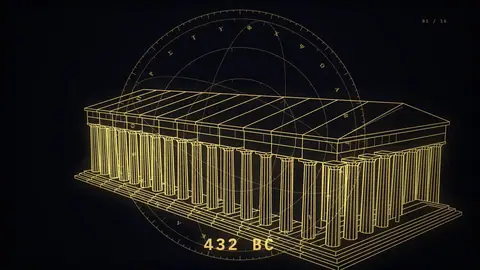
Western civilization in 2 minutes 16 seconds
vittorio (@IterIntellectus)“i asked claude to make a video on western civiization”15,294,523 views as of 22 Nov
-
“The Clodyssey”
anabology (@anabology)Claude, another 12 hours12,576,393 views as of 27 Oct
-

Fallout: New York, a full browser Fallout game built with Opus 5.5, zero asset files
CHRIS FIRST (@chrisfirst)3,649,272 views as of 26 Oct